
ChatGPT Image Trick for Better-Than-Pro Authentic Photography
This one you’ll love …
You can quickly turn an image of yourself that may not be the greatest into a truly professional-level photograph, in the right space for your brand vibe.
This one is a game changer.
I’ve been using ChatGPT and Claude for my work stuff, with a LOT of image manipulation to help coaches look the part — like a serious, talented, professional coach that clients would LOVE to work with.
You know it when you see it.
The Trick => Don’t write a prompt. Instead, ask for a prompt!
This way it makes a smart prompt, and doesn’t just work off your newbie/novice-style instructions that often need a lot of back and forth. The back and forth degrades quality and morphs you into an imposter ;P
That would be a fun video, showing the AI slop. Anywho …
The ChatGPT image editing aspect has improved markedly over the months. Making me fall back in love with ChatGPT. I actually just downgraded my Claude subscription and upped my ChatGPT subscription.
Here’s an example …
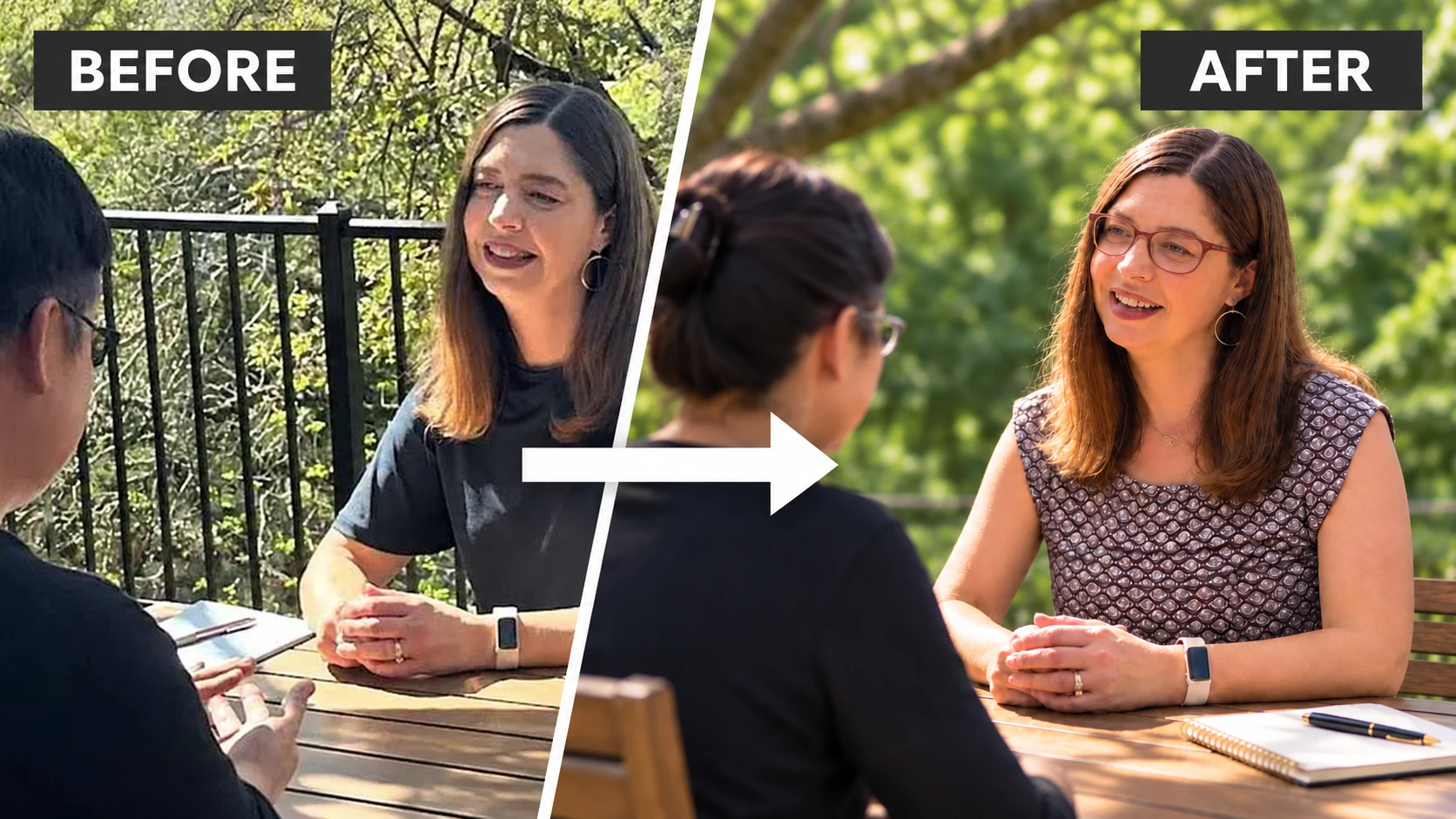
Example of ChatGPT Prompting Trick and My Secrets for One-of-a-Kind Shots Better Than Professional Photographers — Seriously …
Dianna is a client of mine, a positive psychology coach helping people face and make serious changes and transitions in life, career, and relationships. She’s here: DiannaCollier.com.
We’re slowly updating messaging, client focus, visuals, offers and all that jazz. This is the reality of growing a coaching business — it evolves as you evolve, opportunities show up, and you make strategic moves.
It’s time to align what she does with feedback as she networks, tests out offers, and researches clients — actual, real action.
Here’s the before image …
Here’s a photo of her working with a client. It’s good because it shows her caring side, ability to listen, and her presence. You can feel it.
Not so great is the image quality. Her outfit doesn’t reflect how she truly shows up when speaking or coaching or on Zoom classes. It’s a tad casual, and not in line.
The photo …
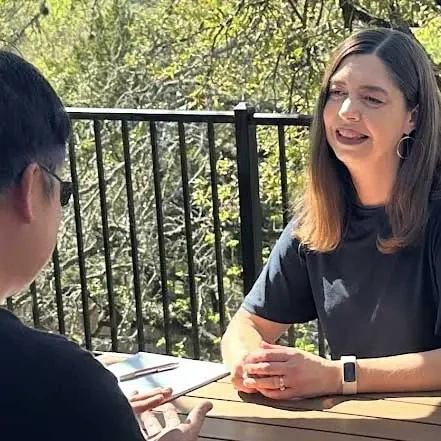
What I did to up-level this photo was to ASK FOR A PROMPT. I ask for a prompt before actually giving ChatGPT the images so that it pulls the best advice for prompting image edits like this.
Here’s my clumsy prompt …
This is what I would have done in the past …
Up-level this photo to improve color, improve the outfit, use the new top, use the top in the second image.
And that would send me down a path of revision prompts that degrades images as it goes on.
Instead, I ask for a prompt. You can kind of think of this as a pre-prompt. Like this …
I want to up-level this photo, give me a prompt, to improve color, improve the outfit, use the new top, use the top in the second image.
And here’s the prompt ChatGPT made for me.
Enhance the first photograph into a high-resolution, professional lifestyle photograph suitable for a premium coaching website.
SUBJECT AND IDENTITY — CRITICAL
Preserve the woman’s identity, facial structure, proportions, hairstyle, expression, age, and natural appearance exactly as shown in the first photograph.
Keep her seated at the outdoor table, engaged in conversation with the person opposite her. Preserve her original body position, hand gestures, and natural interaction.
Do not beautify, reshape, smooth, or reinterpret her face.
WARDROBE CHANGE
Replace her plain black T-shirt with the colorful, patterned blouse from the second reference image.
Reproduce the blouse faithfully, including its burgundy, blue, pink, and muted purple vertical patterns, gathered neckline, short flowing sleeves, fabric texture, and relaxed fit.
Adapt the blouse naturally to her seated posture, with realistic fabric folds, shadows, and lighting.
Keep the blouse’s colors rich but subtly muted and sophisticated. Avoid excessive saturation or overly bright patterns.
The blouse should introduce warmth, personality, and visual interest without competing with the woman’s face or distracting from the coaching conversation.
LIGHTING AND COLOR
Apply sophisticated, natural editorial color grading with a warm, inviting, understated aesthetic.
• Soften harsh midday sunlight and reduce blown highlights.
• Brighten facial shadows gently while preserving natural dimensionality.
• Introduce warm, flattering skin tones without oversaturation.
• Enhance the greens of the surrounding trees, keeping them natural, soft, and slightly muted.
• Give the wooden table rich, warm tones.
• Balance contrast for a clean, welcoming, premium photographic appearance.
• Create harmonious colors across the blouse, skin tones, wooden table, and green background.
• Avoid overly vivid greens, excessive warmth, or artificial-looking color grading.
PHOTOGRAPHIC QUALITY AND RESOLUTION
Upscale the original photograph to 1600 × 1600 pixels minimum, ideally 2048 × 2048 pixels, while preserving the original square composition.
Improve clarity, natural sharpness, tonal range, and fine detail.
Reduce compression artifacts, pixelation, noise, and visible image degradation.
Restore realistic skin texture, individual hair strands, natural fabric texture, and environmental details without inventing exaggerated features.
Create the appearance of a photograph captured with a professional full-frame camera and a high-quality portrait lens, featuring gentle background separation and beautiful, natural depth of field.
Avoid artificial sharpening, excessive smoothing, or an obviously AI-generated appearance.
COMPOSITION
Maintain the same scene, camera perspective, people, table, railing, and outdoor setting.
Preserve the spontaneous, authentic quality of the original coaching conversation.
Keep the woman as the clear focal point, with the other person providing natural context in the foreground.
Use subtle background softness to direct attention toward the woman’s face, while retaining enough environmental detail to communicate the outdoor setting.
OVERALL FEEL
Warm, approachable, confident, intelligent, genuine, and professional.
The image should communicate trust, thoughtful listening, meaningful conversation, and authentic human connection.
Aim for premium editorial photography with understated, tasteful color grading, not a generic stock photo, glamour portrait, or artificial AI image.
FINAL PRIORITIES
1. Preserve the woman’s exact recognizable identity, expression, and natural appearance from the first photograph.
2. Accurately replace the black shirt with the blouse from the second photograph.
3. Keep blouse colors attractive, rich, and slightly muted rather than overly vibrant.
4. Improve lighting, color harmony, and photographic detail while maintaining realism.
As you can see, the better prompt covers a lot of common mess-ups that I would not know about. That’s a HUGE DEAL.
After running that prompt with the supplied before photo, I got this …
And here’s the After
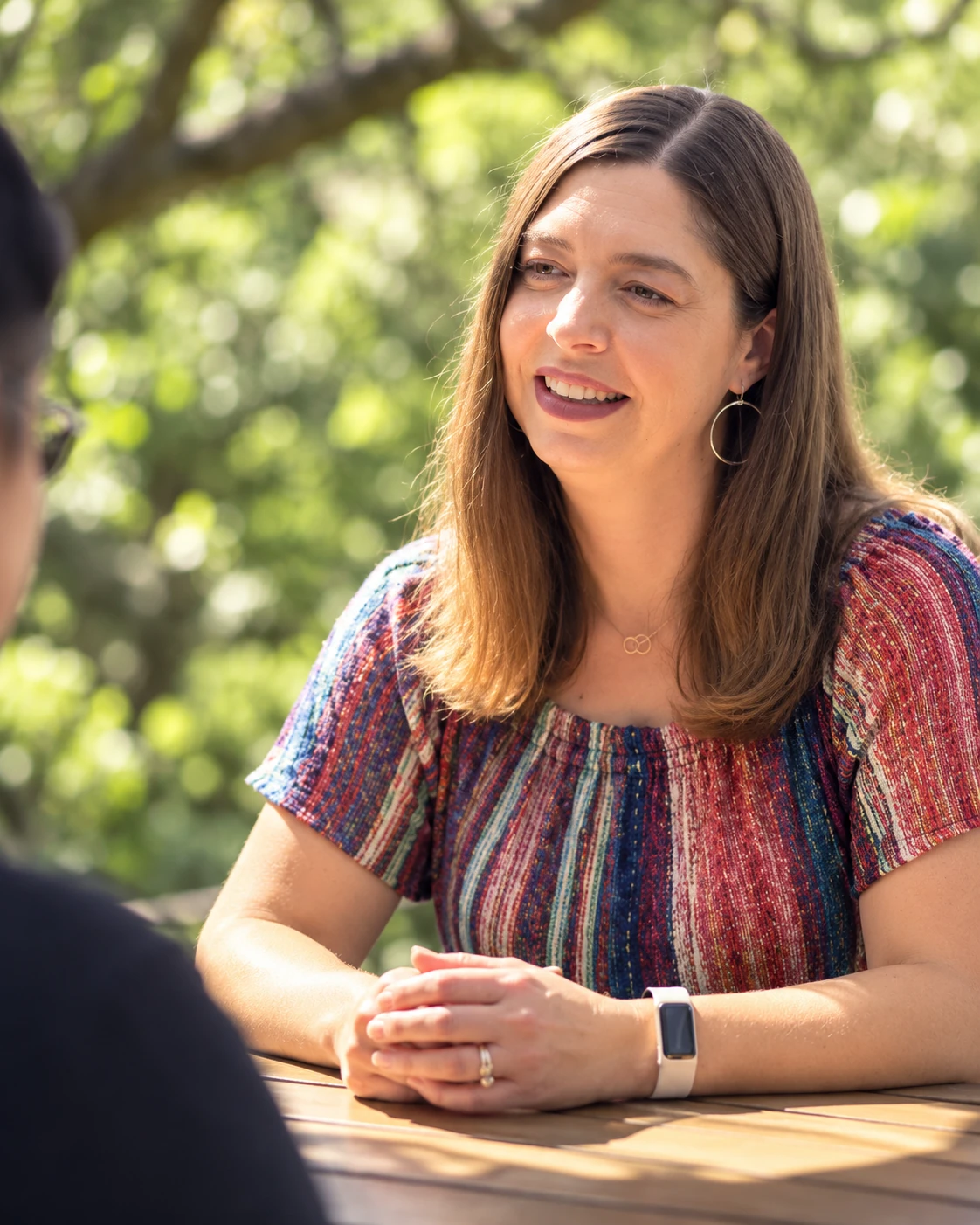
Nice, but I forgot to include the blouse that I wanted, and I also wanted to get her glasses in the picture, and it’s a square where I want a landscape image.
So, I included those items in a request for a better prompt. And then created a new chat window to paste in the new prompt with the before image. This is again a better pre-prompt.
And here’s the after-after …
These are the two additional images I added to the final prompt. In addition I asked for a wide image.
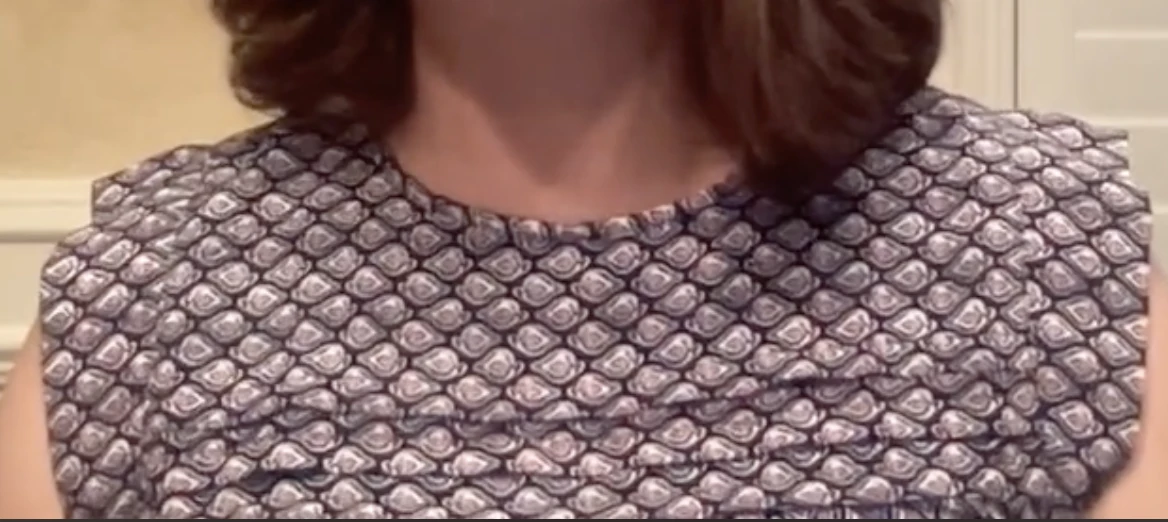
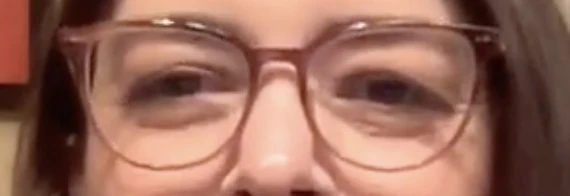
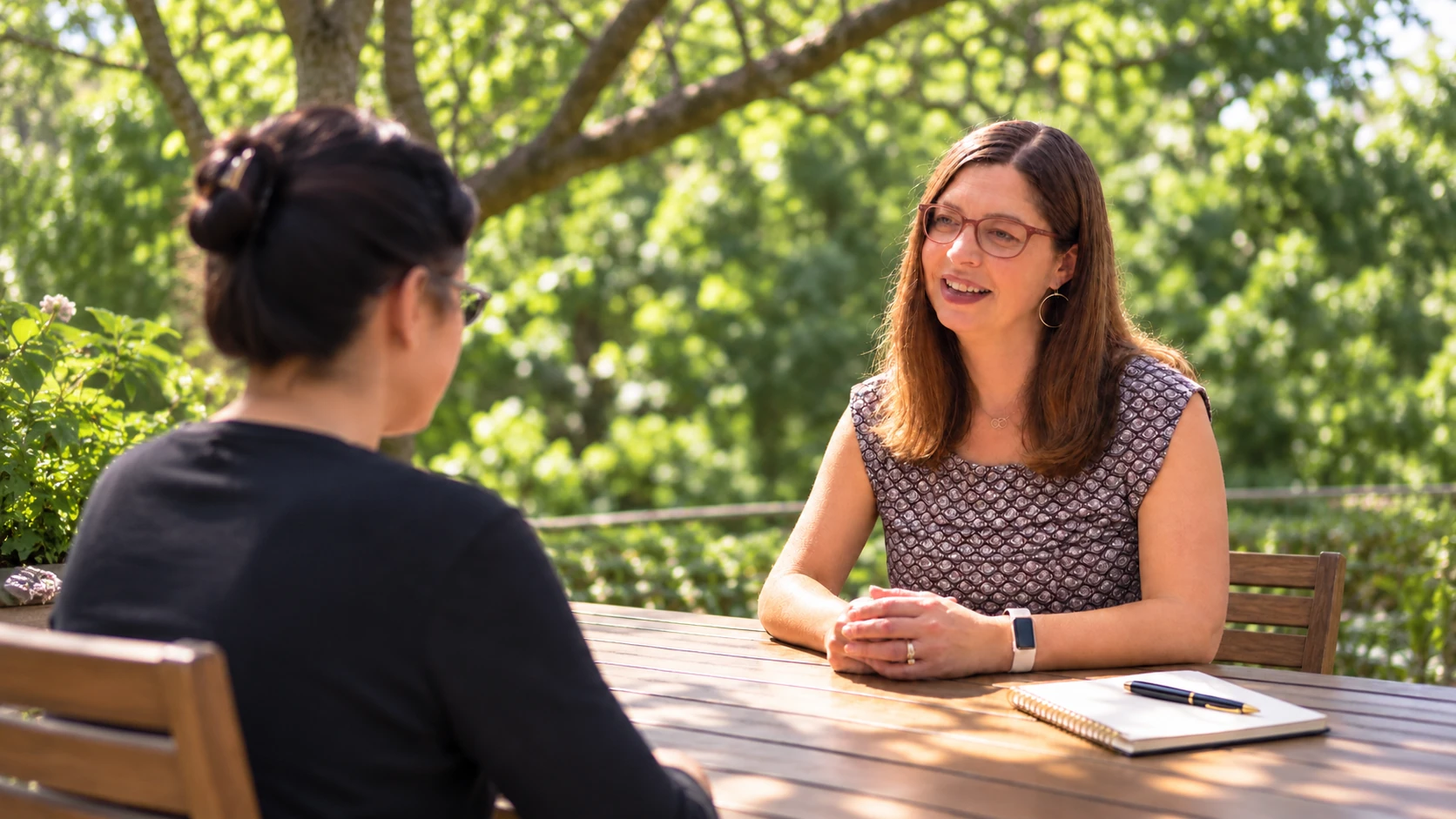
And here it is …
Here’s how it looks on her web page …
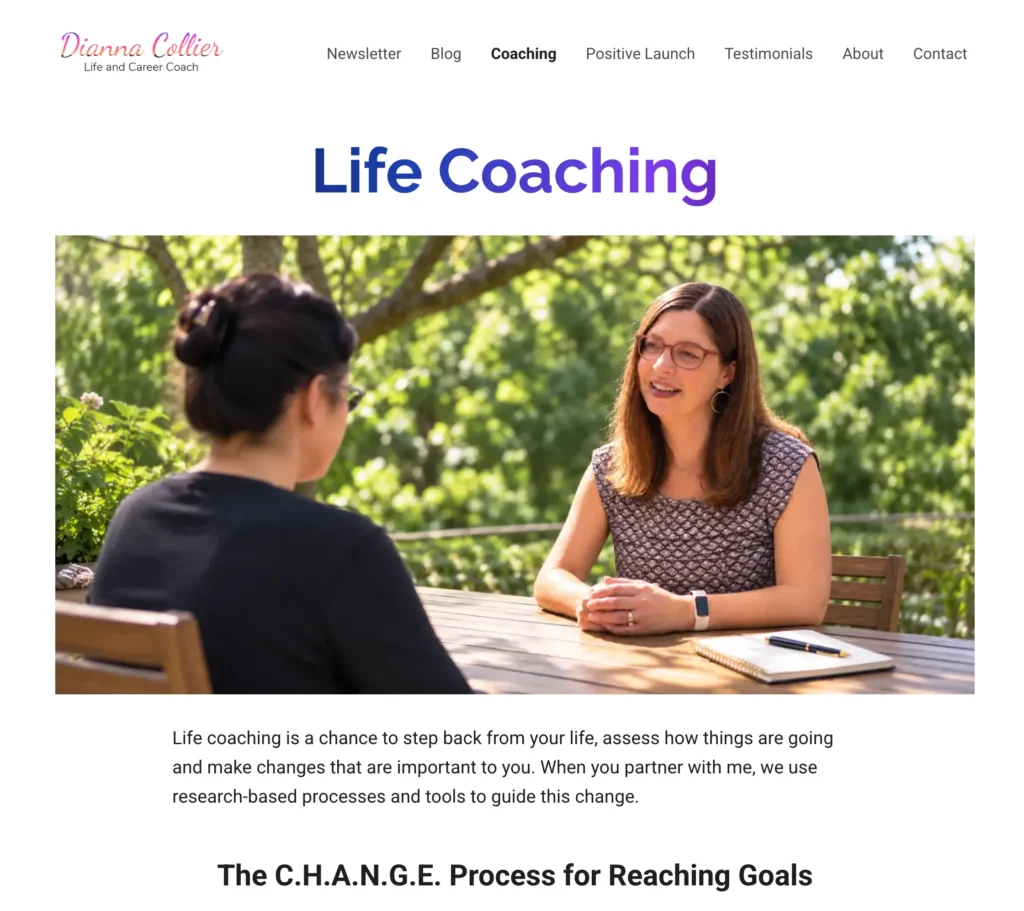
Voila!
You can see it’s a much better outfit. Dianna looks exactly the same, expression and all. No creepy imposter vibes we can all sense when we see AI images. And it did up the colors, balance, and environment as well.
Here’s the side by side before and after …
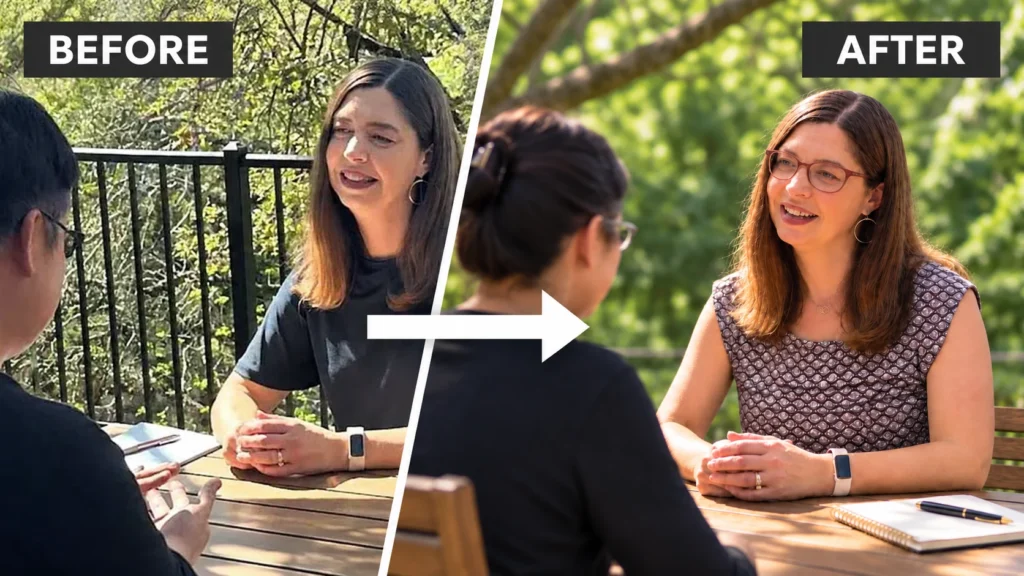
Remember to “Ask for a prompt”
The key was to ask for the prompt first, then use it with your image. Always start with a new chat as you revise that prompt to avoid AI re-editing an image and getting confused and lost.
Yes, I should do videos on this. ;D If only I were a full-time content creator and not actually busy working with clients.
Comment Below
Yes, I get a kick out of comments. For both the dopamine hit and well — I often learn a lot from other’s perspectives. Post below …